Jeder Finisher zählt
Dein Hauptläufer und Klone können jeweils Punkte erzielen. Die Rangliste ordnet die Zuschauer nach Punktzahl an; ein Gleichstand wird durch das erste Ziel entschieden.
Zuschauer kommen durch Kommentare hinzu, dann beschwören Geschenke Wächter, Klone, Riesen, Hühner, Schilde und Geschwindigkeitsboosts in einem Live-Rotlicht-Grünlicht-Rennen.
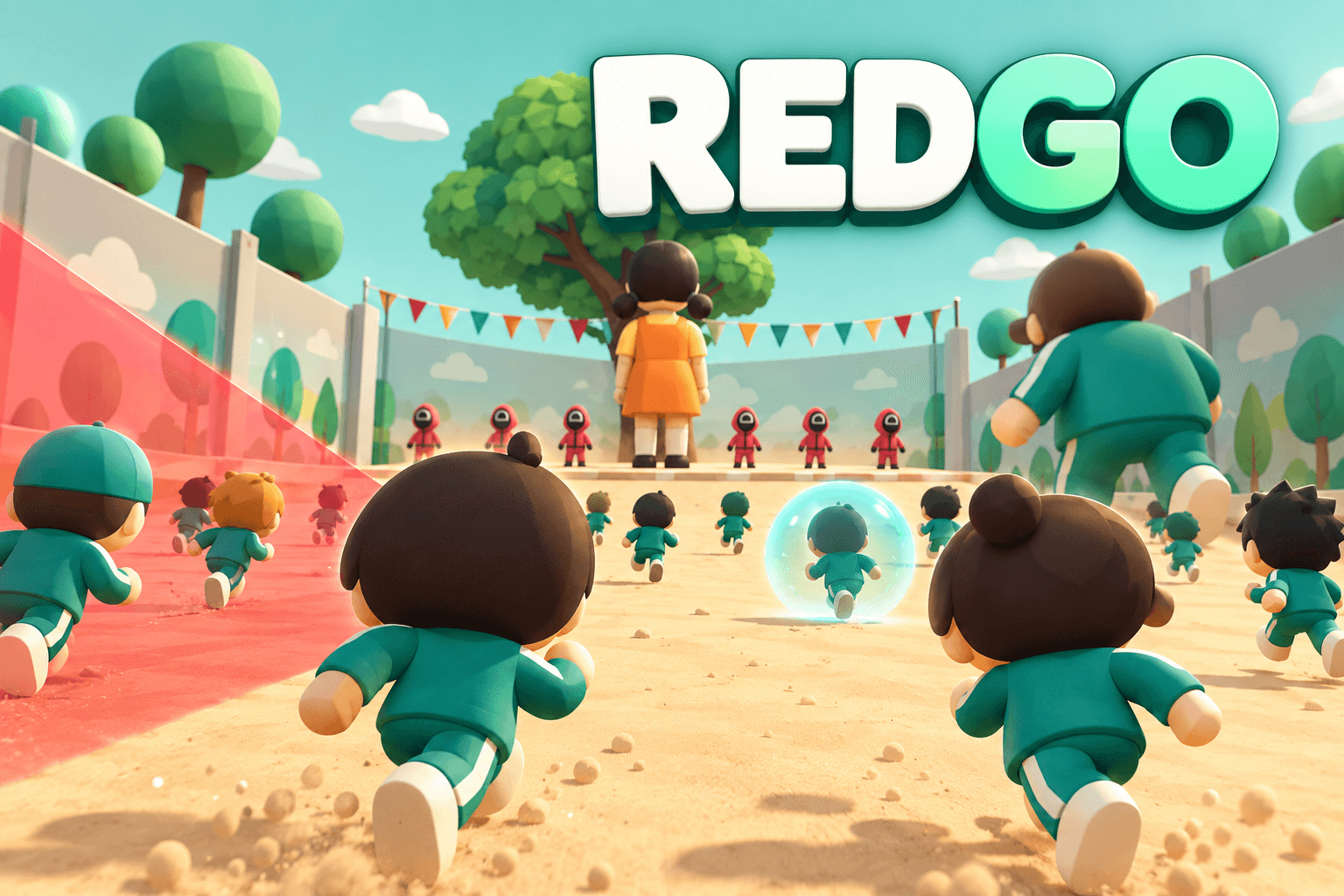
Erreichen Sie das Ziel bei grünem Licht, während Sie vor dem Rotlicht-Scan anhalten. Überlebende erzielen die Runde; das Spiel wird automatisch für das nächste Rennen zurückgesetzt.
Dein Hauptläufer und Klone können jeweils Punkte erzielen. Die Rangliste ordnet die Zuschauer nach Punktzahl an; ein Gleichstand wird durch das erste Ziel entschieden.
Eine Runde dauert standardmäßig bis zu drei Minuten. Verbleiben fünf Sekunden lang keine aktiven Läufer oder Ankünfte in der Warteschlange, erscheinen die Ergebnisse frühzeitig.
Kommentieren Sie einmal, um der Runde beizutreten. Läufer bewegen sich automatisch; keine Tastatur-Steuerung erforderlich. Wiederholte Kommentare beleben einen Läufer nicht, fügen Klone hinzu oder erhöhen die Geschwindigkeit.
Starten Sie REDGO, verbinden Sie den LIVE-Raum, erklären Sie die Kommentar-zum-Beitreten-Regel und halten Sie das Rennfenster sichtbar. Die Läufer bewegen sich automatisch, während du Rettungen, Eliminierungen und Geschenkeffekte anrufst.
Aufgenommene Gameplay-Vorschau. Für aktuelle Geschenkmengen und Dauer verwenden Sie die untenstehende Anleitung.
Standardbindung für REDGO 1.0.4, geordnet nach Münzen und dann Geschenkname. Benutzerdefinierte Launcher-Bindungen haben Vorrang. Verfügbarkeit und Wert der Geschenke können variieren.

Verwandelt bis zu 3 Eurer Läufer für 8 Sekunden pro Geschenk: 1.2× Geschwindigkeit und Scannerimmunität. Bevorzugen Sie Läufer mit weniger Hühnerzeit, dann diejenigen, die näher am Ziel sind. Wächter und Geschenke beeinflussen sie immer noch.

Schließe dich deinem Läufer an oder belebe ihn; füge 6 Sekunden 1.8× Geschwindigkeit pro Geschenk hinzu. Steigert Stapel in der Dauer.

Warteschlange 5 Wächter pro Geschenk. Jede Patrouille dauert 12 Sekunden und kann einen Rivalen während einer roten Ampel markieren; bis zu 25 Wachen sind sichtbar. Dein Läufer erhält außerdem 4 Sekunden 1.8× Geschwindigkeit pro Geschenk, auch ohne Rivalen.
Gib bis zu 5 derzeit freundlichen Läufern eine Schildladung pro Geschenk. Bevorzugen Sie die am wenigsten geschützten, dann die Führer. Jede Ladung blockiert einen Scanner-, Guard- oder Rückstoßtreffer, aber nicht die Entfernung von Riesenformen.
Stelle pro Geschenk 5 Läufer an deiner Position (einen Meter hinter dir) in die Schlange; jeder kann punkten. Bis zu 200 aktive Läufer; Überlauf wartet.

Stöße 6 führende Gegner um 6 Meter zurück und halte sie für 2 Sekunden pro Geschenk auf; keine Eliminierung. Schilde absorbieren den Treffer, Riesen widerstehen ihm. Erhöht auch deinen Läufer 1.8× für 6 Sekunden. Wiederholungen erweitern die Welle und treffen jeden Gegner einmal.

Werdet für 20 Sekunden pro Geschenk zu einem 2.6× Riesen: 1.8× Geschwindigkeit, Scanner- und Rückstoßimmunität sowie 3 Schildladung. Blockiere Rivalen in der Nähe während grüner Ampeln.

Stelle 5 Klone mit jeweils einem Schild pro Geschenk in die Warteschlange, gewähre deinem Hauptläufer 2 Schilde und sprinte Klone mit 2.2× Geschwindigkeit für 20 Sekunden. Wiederholungen fügen Klone, Hauptschilde und Sprintzeit hinzu. Ankünfte in der Warteschlange erhalten mindestens 20 Sekunden des verbleibenden Teamsprints.

Werdet für 20 Sekunden mit 3 Schilden und 10 Sekunden 1.8× Boost pro Geschenk zum Riesen. Entfernt sofort alle gegenwärtigen rivalisierenden Riesenformen durch Schilde und stoppt sie für 2 Sekunden; behaltet ihre Läufer und Schilde. Kein rivalisierender Riese ist für Ihre eigenen Boni erforderlich.
Verwenden Sie ein Konto mit Zugriff auf Pro, suchen Sie REDGO in Games und installieren Sie die neueste Version.
Verbinden Sie Ihren TikTok LIVE Raum in Launcher und überprüfen Sie die aktiven Geschenk-Bindungen, bevor Sie das Spiel starten.
Erfassen Sie das Spielfenster in Ihrer Streaming-Software. Halten Sie die Lichter, Läufer Namen, Rangliste und Geschenk-Bar sichtbar.
Verwenden Sie die Launcher-Simulation, um die Bindungen zu überprüfen, und bestätigen Sie dann die Live-Verbindung. Pinne einen Kommentar, der Zuschauer zum Kommentieren einlädt.
Namentliche Läufer machen freie Kommentare persönlich und halten das Rennen lesbar.
Wächter, Schilde, Riesen und Angriffe sind am deutlichsten, wenn das Feld sichtbar ist.
Die standardmäßige dreiminütige Runde ist lang genug, um die Regeln zu erklären, ohne neue Zuschauer zu verlieren.
Kommentare können einmal pro Betrachter und Runde hinzugefügt werden. Rose kann einem Läufer beitreten oder ihn wiederbeleben; andernfalls wartet man auf die nächste Runde.
Doughnut ist ein Knockback-Effekt, nicht eine Eliminierung. Schilde absorbieren ihn und Riesen widerstehen ihm.
Das Feld unterstützt bis zu 200 aktive Läufer und 25 Guards. Überlauf wartet in einer Warteschlange, anstatt alle auf einmal zu erscheinen.
Überprüfen Sie die Launcher LIVE-Verbindung und aktive Geschenk-Mapping. Die Simulation prüft den Spieleffekt; ein Live-Event hängt auch von der TikTok-Verbindung ab.
Öffnen Sie Audio für separate Musik- und Soundeffekt-Steuerelemente. Verwenden Sie das Sprachenmenü; unübersetzter Spieltext fällt auf Englisch zurück.